

Say Goodbye to spending hours of searching for formulas online.
Simply ask Pine AI and get the right formula in seconds.
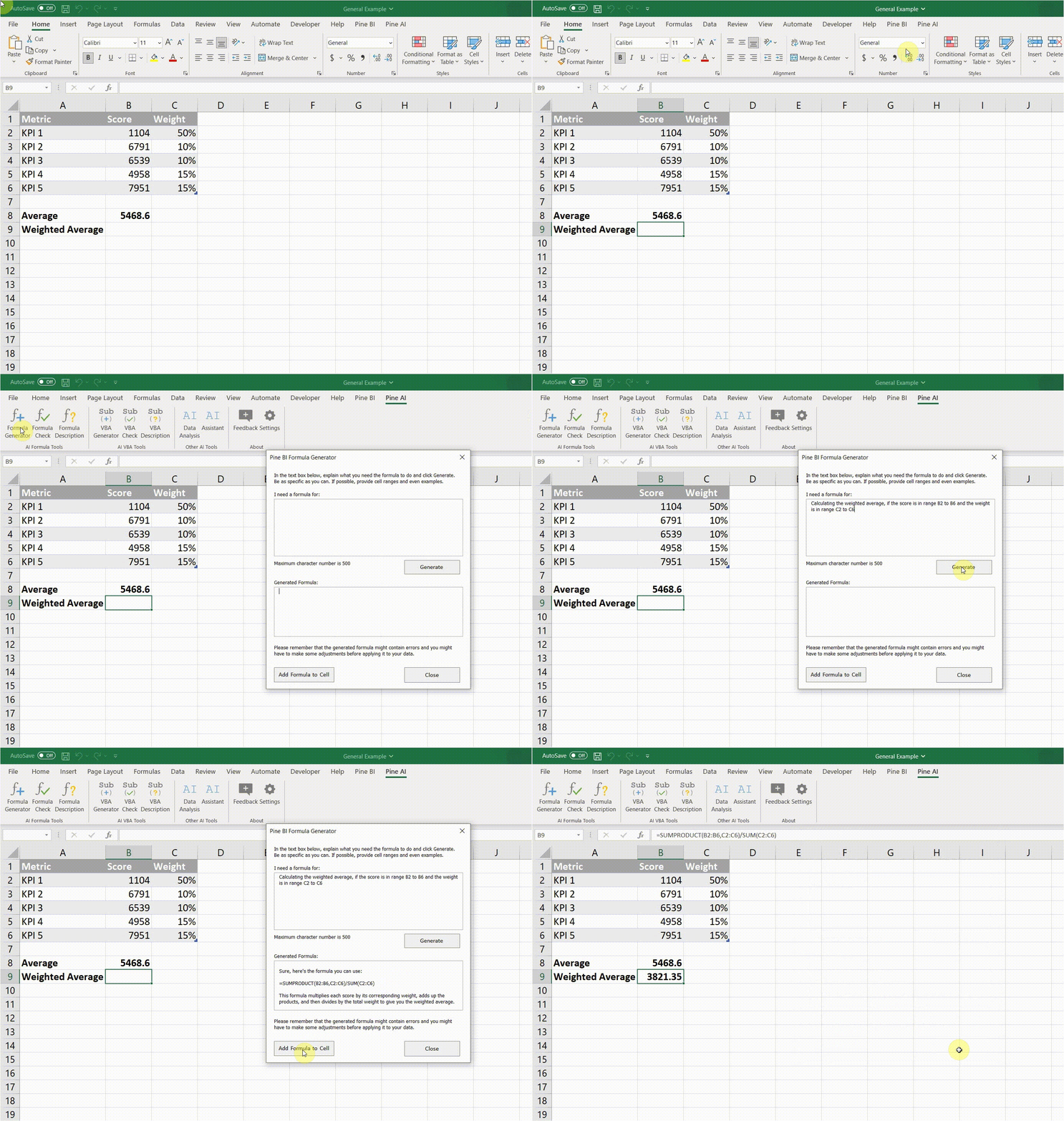
Formula Generator
Use Pine AI to generate Excel formulas straight in your workbook simply by explaining what you need.
Basic to advanced, Pine AI can has you covered.
PS: You can write in any language!

Formula Explainer
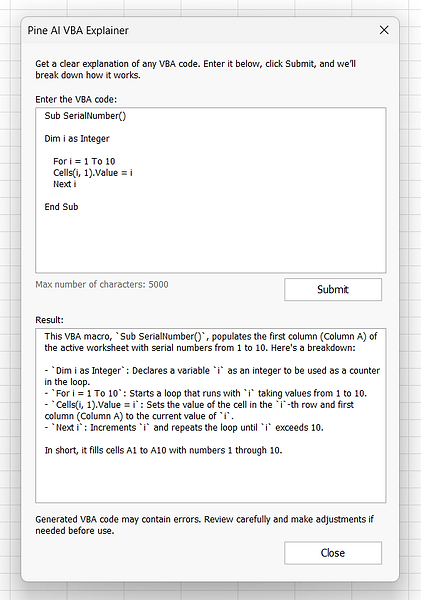
Did you just came across a long and complex formula?
Pine AI will explain what it does in detail!


VBA Check
Not sure what's wrong with your code?
Don't waste hours in forums. Pine AI will tell you right away!

Say goodbye to manual Excel work.
Take your productivity to the next level!

AI Assistant
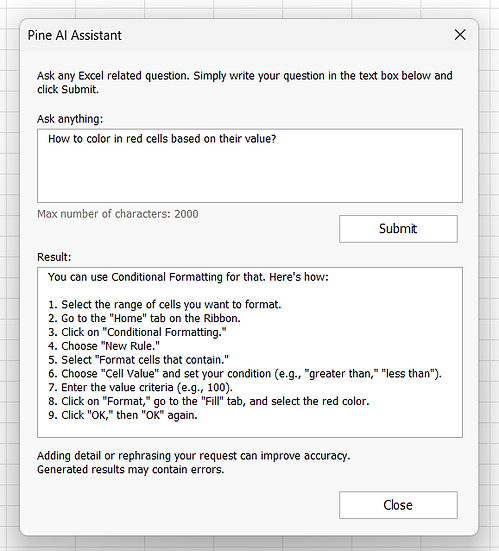
Have any other Excel related question?
Get answers in seconds with Pine AI.
Step-by-step guides, best practice suggestions, general queries and more...
Get ready to excel like never before.
Simplify your work and let the magic of AI do the rest!
International
Pine AI understands your language.
Although it works best in English, you can still ask questions in your native tongue and get amazing results!
If you need, formulas can be generated in your local language syntax. Just ask for it when prompting!
Easy to Use
Nothing to install.
No confusing UIs.
Simply connect the add-in with Excel, activate it and you're good to go.
You won't need to submit usernames or passwords every time you need AI magic.
Throughout companies, industries and countries, business still depend heavily on Microsoft Excel on a daily basis.
However, this doesn't mean that everyone needs to be an Excel expert. And even Excel experts spend countless hours researching forums and websites to find the solutions for their advanced use cases.
That's why Pine AI is here!
Pine AI utilizes Open AI's ChatGPT to bring the power of AI to your fingertips.
Never again spend your day looking for the right formula or VBA code. Simply explain what you need and Pine AI will give you the solution.
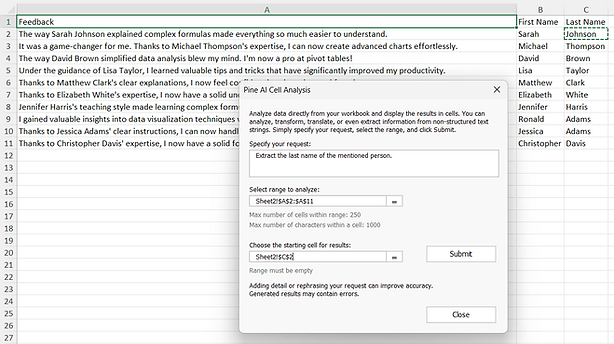
Pine AI can also help you analyze a set of data straight from your workbook. It can understand it and suggest appropriate actions.
Pine AI can help you automate manual tasks. Even if you're no VBA expert, you can still ask Pine BI to generate a code that will save manual work, and then run it, without ever going to the Developer tab!
AI is here to stay and we're excited to be able to bring it to your Excel workbooks wit Pine AI!
No complicated User Interface, no coding required, no additional downloads, nothing to install.
The only thing you need is a Windows computer with Excel 2007 or newer, able to connect to the Internet.
SATISFIED CUSTOMERS FROM 30+ COUNTRIES
Alexander Y.
"Amazing design and value! Waiting for the next products!"
Steve Sunder
President Sunder Vision Solutions
"I've been using Pinexl dashboards for a few months and love them and the detail they display!"
Mohamed F.
"Amazing! This would really help me a lot in my new role! Looking forward to more such creative dashboards!"