
Pine BI Lite
Free dashboard tools for Excel & PowerPoint
Pine BI Lite is the free, streamlined version of Pine BI - our advanced Excel add‑in used to create 50+ dynamic visualizations and modern dashboards in seconds.
Lite includes 12 carefully selected charts and features that let you build clean, non‑standard visuals instantly. Finally create Vertical Waterfalls and Executive-style charts without the manual work.
It’s completely free, works forever, and requires no credit card.
Enter your email below to get Pine BI Lite.
What's Included in Pine BI Lite


Pine BI Lite includes 12 essential chart types and tools that let you build clean, non‑standard visualizations in Excel in seconds. These are the same high‑quality visuals used in Pine BI Full, just a smaller set designed to help you get started instantly.
Included are the following visualizations features:
-
Waterfall Chart (Horizontal & Vertical)
-
Donut Chart
-
Actual vs. Target Charts (5 types)
-
Variance Charts (1 types)
-
Income vs. Expense Chart
-
Tornado Chart
-
Column Chart Stacked Total
-
Automatically Hide/Show Sheet Tabs
How Pine BI Lite Works?
Pine BI Lite installs like a standard Excel add‑in.
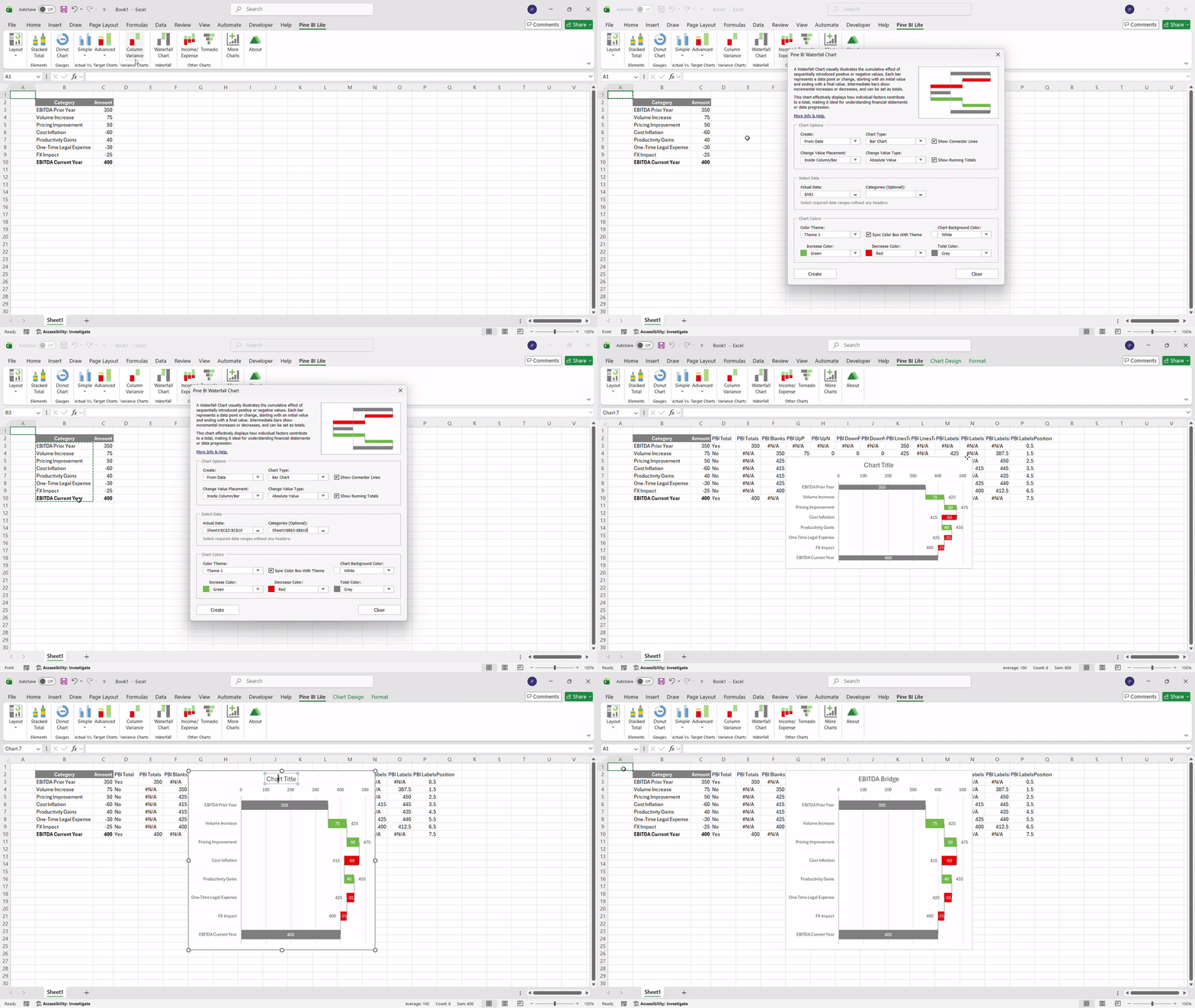
To create a visualization, select one from the Ribbon. A configuration window will open, where you can choose to build the chart from your data or start with a template, adjust the chart type, configure elements, pick colors, and insert it into your workbook in seconds.
No macros or coding required - everything happens automatically inside Excel.
For advanced features and full documentation, explore Pine BI Full.

Dynamic, Shareable and PowerPoint Ready
Built entirely on native Excel features, Pine BI Lite creates dynamic, fully editable visualizations. Because the charts are native, your colleagues can view, edit and interact with them even if they don't have the add-in installed. When it’s time to present, simply copy your visuals into PowerPoint just as you would with any standard Excel chart.

Dashboard Templates Included
Your Pine BI Lite download also includes 4 professionally designed dashboard templates, built entirely with Pine BI visuals. These templates help you get started quickly, explore layout ideas, and understand how the visuals can be combined to create clean, modern dashboards.
Each template is fully editable and uses only the visuals available in Pine BI Lite. Replace the sample data with your own and adapt the designs to your reporting needs.


Want More?
The full version of Pine BI includes more than 50 visualization types and hundreds of chart combinations, avaialble at any time.

Explore the gallery below to compare the features available in Pine BI Lite versus the Full version. You can preview key professional visualizations exclusive to the Full version, such as Stacked Waterfalls with decreasing values, CAGR elements, Gantt, KPI Cards, and our advanced Actual vs. Target and Variance charts.


